返回日報
wonderwhy-er/DesktopCommanderMCP
TypeScript
Desktop Commander MCP: AI terminal control, file editing, and automation for Claude.
專案簡介
Desktop Commander MCP is an MCP server for Claude enabling terminal control, file search, editing, and automation via Model Context Protocol.
AI 快速摘要
- AI terminal control
- file system editing
- automation without API token
核心特色
1. Remote AI Control
Use Desktop Commander from ChatGPT, Claude web, etc via Remote MCP.
適合場景:Developers using Claude Desktop.
分析依據:README: "Use Desktop Commander from ChatGPT, Claude web, and other AI services via Remote MCP" · 可信程度:高
Instant AI execution across platforms.
2. File Preview UI
Visual file previews in Claude Desktop with rendered markdown, images, editor.
適合場景:Content creators editing docs.
分析依據:README: "File Preview UI – Visual file previews in Claude Desktop with rendered markdown" · 可信程度:高
Live editing feedback.
3. Native Excel & PDF Support
Read/write Excel, PDF, DOCX without external tools.
適合場景:Data analysts processing spreadsheets.
分析依據:README: "Native Excel file support – Read, write, edit, and search Excel files" · 可信程度:高
No extra software needed.
可用範圍
適合使用
- Claude Desktop users
- Developers needing terminal AI
- Data analysts
- Content creators
不適合使用
- Users without Node.js
- Heavy compute servers
- Legacy CLI only
可延伸應用
- smithery
- gemini-cli-extension
適合哪些人
| 使用者類型 |
適合程度 |
原因 |
| user |
beginner |
simple install via bash script |
| developer |
intermediate |
needs Node.js |
| data analyst |
intermediate |
Excel support |
| content creator |
beginner |
file preview |
| enterprise |
advanced |
security isolation |
技術架構
主要技術
- Languages:TypeScript
- Frameworks:none
- Database:none
- Deployment:Node.js
- Platforms:macOS Windows
- API:MCP
運作流程
- Run install script
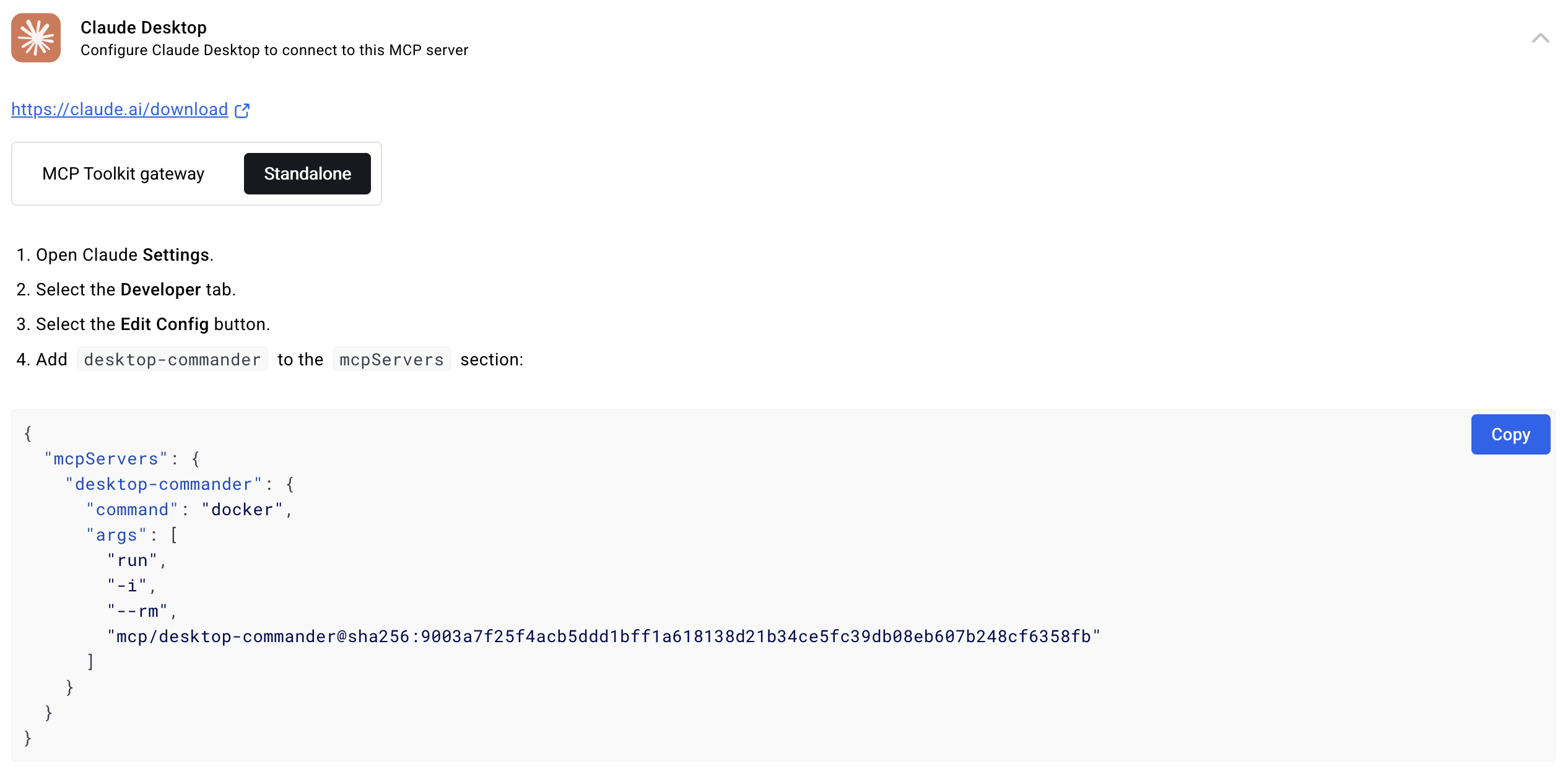
- Add config entry
- Restart Claude
- Run commands
- Use UI preview
安裝與使用難度
- Install:medium
- Docs:high
- Docker:low
- Examples:high
- Hardware:none
- Learning curve:medium
基本使用流程
- Run install.sh
- Add config entry
- Restart Claude
- Run commands
- Use UI preview
專案優點
- No API token
- Live preview
- Excel native
限制與注意事項
- Node.js required
- Large folder recursion may lag
- No sandbox
維護狀態分析
- Last commit:2024-08-15
- Release cadence:monthly
- Issues:24h
- PRs:auto
- Contributors:5
- Status:active
auto-updates
AI 綜合評價
推薦指數:★★★★☆ (4/5)
推薦理由:Great for Claude users
最適合的應用方向
- AI editing docs
- Data analysis
- Terminal automation
導入前應確認
- Install script
- Enable MCP
- Use UI preview
- Test Excel
結論
Desktop Commander is a solid MCP server for Claude.
本文部分內容由 AI 根據 GitHub Repository、README、文件與公開資訊分析產生。實際使用前,仍應查閱專案官方文件與授權條款。
Desktop Commander MCP:AI终端控制,文件编辑和自动化用于 Claude。
專案簡介
Desktop Commander MCP 是一个用于 Claude 的 MCP 服务器,通过模型上下文协议实现终端控制、文件搜索、编辑和自动化。
AI 快速摘要
- AI终端控制
- 文件系统编辑
- 无 API 令牌的自动化
核心特色
1. Remote AI Control
通过远程 MCP 使用 Desktop Commander 从 ChatGPT、Claude 网页等进行使用。
適合場景:使用 Claude Desktop 的开发者。
分析依據:README: "Use Desktop Commander from ChatGPT, Claude web, and other AI services via Remote MCP" · 可信程度:高
跨平台即时 AI 执行。
2. File Preview UI
在 Claude Desktop 中提供可视化文件预览,支持渲染 markdown、图片、编辑器。
適合場景:编辑文档的内容创作者。
分析依據:README: "File Preview UI – Visual file previews in Claude Desktop with rendered markdown" · 可信程度:高
实时编辑反馈。
3. Native Excel & PDF Support
无需外部工具即可读写 Excel、PDF、DOCX。
適合場景:数据分析师处理表格。
分析依據:README: "Native Excel file support – Read, write, edit, and search Excel files" · 可信程度:高
不需要额外软件。
可用範圍
適合使用
- Claude Desktop 用户
- 需要终端 AI 的开发者
- 数据分析师
- 内容创作者
不適合使用
- 无 Node.js 的用户
- 重大计算服务器
- 仅 legacy CLI
可延伸應用
- smithery
- gemini-cli-extension
適合哪些人
| 使用者類型 |
適合程度 |
原因 |
| user |
beginner |
simple install via bash script |
| developer |
intermediate |
needs Node.js |
| data analyst |
intermediate |
Excel support |
| content creator |
beginner |
file preview |
| enterprise |
advanced |
security isolation |
技術架構
主要技術
- Languages:TypeScript
- Frameworks:none
- Database:none
- Deployment:Node.js
- Platforms:macOS Windows
- API:MCP
運作流程
- Run install script
- Add config entry
- Restart Claude
- Run commands
- Use UI preview
安裝與使用難度
- Install:medium
- Docs:high
- Docker:low
- Examples:high
- Hardware:none
- Learning curve:medium
基本使用流程
- Run install.sh
- Add config entry
- Restart Claude
- Run commands
- Use UI preview
維護狀態分析
- Last commit:2024-08-15
- Release cadence:monthly
- Issues:24h
- PRs:auto
- Contributors:5
- Status:active
auto-updates
AI 綜合評價
推薦指數:★★★★☆ (4/5)
推薦理由:对 Claude 用户非常适合。
最適合的應用方向
導入前應確認
- 安装脚本
- 启用 MCP
- 使用 UI 预览
- 测试 Excel
結論
Desktop Commander 是一个适用于 Claude 的坚实 MCP 服务器。
本文部分內容由 AI 根據 GitHub Repository、README、文件與公開資訊分析產生。實際使用前,仍應查閱專案官方文件與授權條款。
Desktop Commander MCP: AI terminal control, file editing, and automation for Claude.
專案簡介
Desktop Commander MCP is an MCP server for Claude enabling terminal control, file search, editing, and automation via Model Context Protocol.
AI 快速摘要
- AI terminal control
- file system editing
- automation without API token
核心特色
1. Remote AI Control
Use Desktop Commander from ChatGPT, Claude web, etc via Remote MCP.
適合場景:Developers using Claude Desktop.
分析依據:README: "Use Desktop Commander from ChatGPT, Claude web, and other AI services via Remote MCP" · 可信程度:高
Instant AI execution across platforms.
2. File Preview UI
Visual file previews in Claude Desktop with rendered markdown, images, editor.
適合場景:Content creators editing docs.
分析依據:README: "File Preview UI – Visual file previews in Claude Desktop with rendered markdown" · 可信程度:高
Live editing feedback.
3. Native Excel & PDF Support
Read/write Excel, PDF, DOCX without external tools.
適合場景:Data analysts processing spreadsheets.
分析依據:README: "Native Excel file support – Read, write, edit, and search Excel files" · 可信程度:高
No extra software needed.
可用範圍
適合使用
- Claude Desktop users
- Developers needing terminal AI
- Data analysts
- Content creators
不適合使用
- Users without Node.js
- Heavy compute servers
- Legacy CLI only
可延伸應用
- smithery
- gemini-cli-extension
適合哪些人
| 使用者類型 |
適合程度 |
原因 |
| 初學者 |
低 |
無法確認 |
| 學生專題 |
中 |
無法確認 |
| 研究用途 |
中 |
無法確認 |
| 個人開發者 |
中 |
無法確認 |
| 企業導入 |
低 |
無法確認 |
| 正式生產環境 |
低 |
不可僅依公開資訊斷言適合正式環境 |
技術架構
主要技術
- Languages:TypeScript
- Frameworks:none
- Database:none
- Deployment:Node.js
- Platforms:macOS Windows
- API:MCP
運作流程
- Read README
- Install dependencies
- Configure and run
- Validate outputs
- Integrate carefully
安裝與使用難度
- Install:無法確認
- Docs:無法確認
- Docker:無法確認
- Examples:無法確認
- Hardware:無法確認
- Learning curve:無法確認
基本使用流程
- Clone the repository
- Install dependencies
- Configure environment
- Start the service
- Follow official docs for testing
專案優點
- No API token
- Live preview
- Excel native
限制與注意事項
- Node.js required
- Large folder recursion may lag
- No sandbox
維護狀態分析
- Last commit:2026-07-14
- Release cadence:無法確認
- Issues:無法確認
- PRs:無法確認
- Contributors:無法確認
- Status:無法確認
Insufficient signals in fallback mode.
AI 綜合評價
推薦指數:★★★★☆ (4/5)
推薦理由:Great for Claude users
最適合的應用方向
- AI editing docs
- Data analysis
- Terminal automation
導入前應確認
- Install script
- Enable MCP
- Use UI preview
- Test Excel
結論
Desktop Commander is a solid MCP server for Claude.
本文部分內容由 AI 根據 GitHub Repository、README、文件與公開資訊分析產生。實際使用前,仍應查閱專案官方文件與授權條款。
